Task management
Overview
Task management coordinates pursuit work across your team: kanban board, Gantt chart, custom statuses, task details with subtasks, and links to Technical offer solutions. Appears for works and services pursuits where parallel workstreams exceed a simple compliance matrix.
Supplies pursuits typically omit this module in the default type base — use questionnaire assignees instead.
Tip: Before creating tasks, confirm you have:
Defined status columns matching your workflow (Draft → Review → Done)
Imported suggested tasks from In-depth analysis where useful
Assigned owners with realistic due dates before deadline week
Linked engineering tasks to technical offer solution parts (services)
Communicated lock policy — avoid take-over without coordination
Caution: Deleting a status column requires emptying or moving tasks first.
When this module appears
How to open
Layout
Kanban ↔ Gantt switcher with shared dialogs.
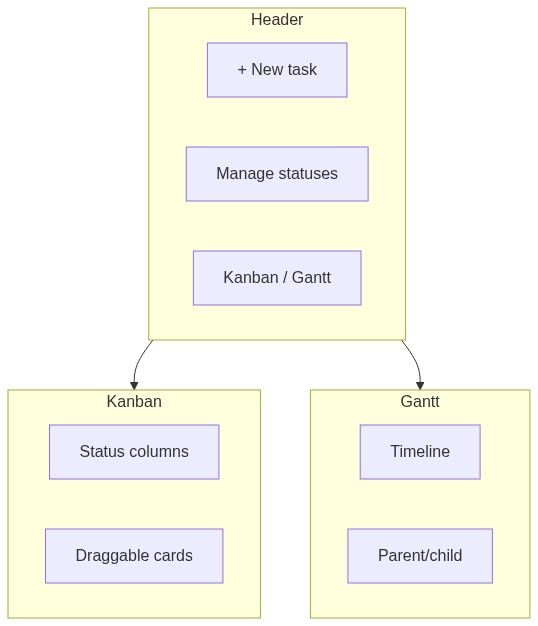
Kanban
Gantt
Task detail dialog
Key actions
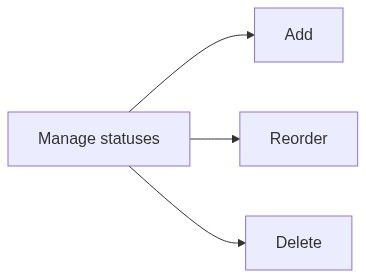
Status management
Lock conflict
Numbered workflow — services pursuit tasks
Manage statuses — align to internal PM method.
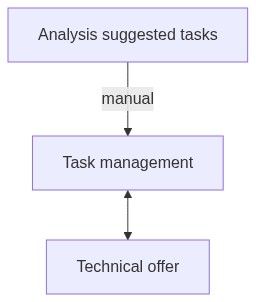
Import suggested tasks from analysis — dedupe.
Create tasks per deliverable work package.
Assign owners and due dates.
Link tasks to technical offer solutions.
Daily kanban standup; weekly Gantt review.
Close tasks before final checkup.
live synchronization
Downstream dependencies
Empty and processing states
Edge cases
FAQ
Supplies pursuit — no module?
Expected — use questionnaire assignees.
Notifications on assign?
Depends on team notification settings.
Recurring tasks?
Not native — duplicate manually.
Export Gantt?
Screenshot or external PM if needed.
Pursuit delete kills tasks?
Yes — tasks are pursuit-scoped.
Link multiple solutions?
Typically one task ↔ parts via link sheet.
Related articles
In-depth analysis — results
Technical offer
Questionnaire
Pursuit overview
Team members
First pursuit workflow
Was this helpful?
Still need help? Ask the team